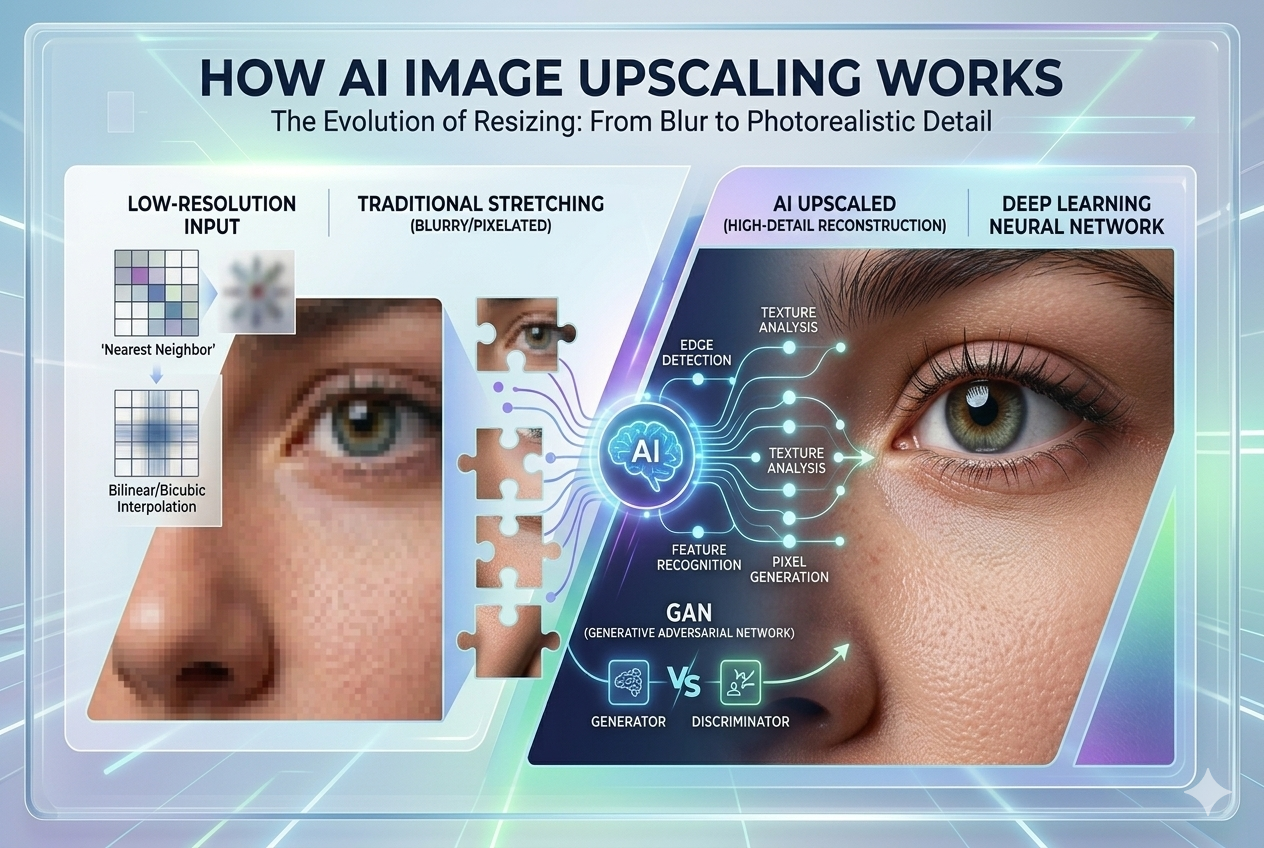
Photo enhancement often feels like a black box. You upload an image, wait a few seconds, and receive a cleaner, sharper version without adjusting any settings. Because the process is fast and fully automated, many people assume the tool applies broad changes across the whole image.
In practice, image enhancement follows a different approach. The system analyses visual structure, identifies areas where quality has degraded, and improves them based on patterns learned from real photographs. Understanding how this works helps set expectations and explains why results vary between images.
What an AI Photo Enhancer Actually Does
AI photo enhancers often rely on Convolutional Neural Networks (CNNs) because this type of model interprets visual information step by step. A CNN processes small sections of an image and focuses on local signals such as:
- edges,
- texture changes,
- colour transitions,
- contrast variations.
During training, the network is exposed to large collections of real photos, which allows it to learn how natural visual detail typically appears at different quality levels.
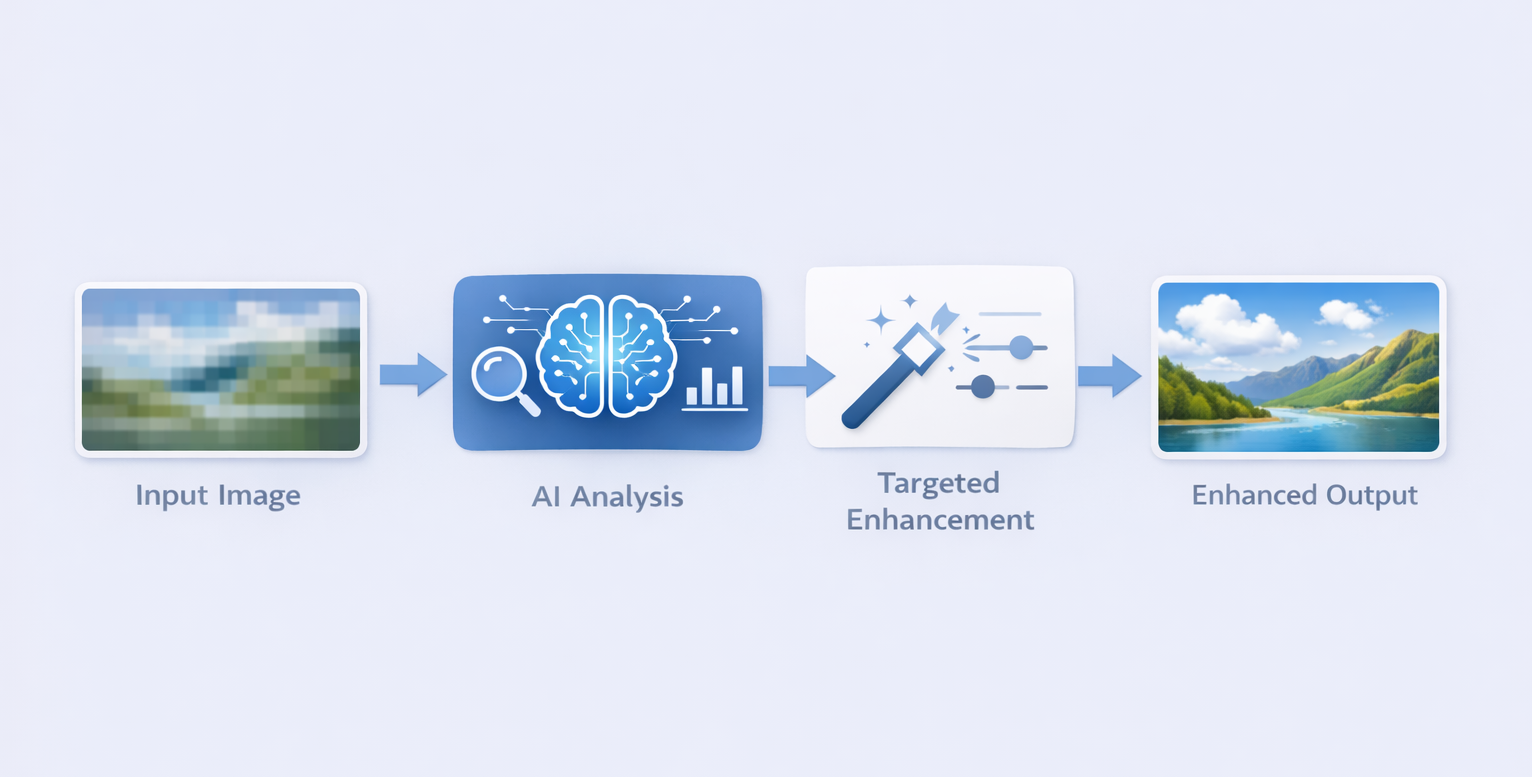
When an image is processed, the system applies targeted refinement rather than a single global adjustment. It scans the photo to identify areas that look soft, noisy, or under-detailed and evaluates them in context. Based on learned patterns, the model estimates how these regions would typically appear with stronger clarity.
The model refines the areas where improvement is likely to look natural. Updated pixel information is blended back into the image in a controlled way, improving texture and contrast while preserving the overall character of the original photo.
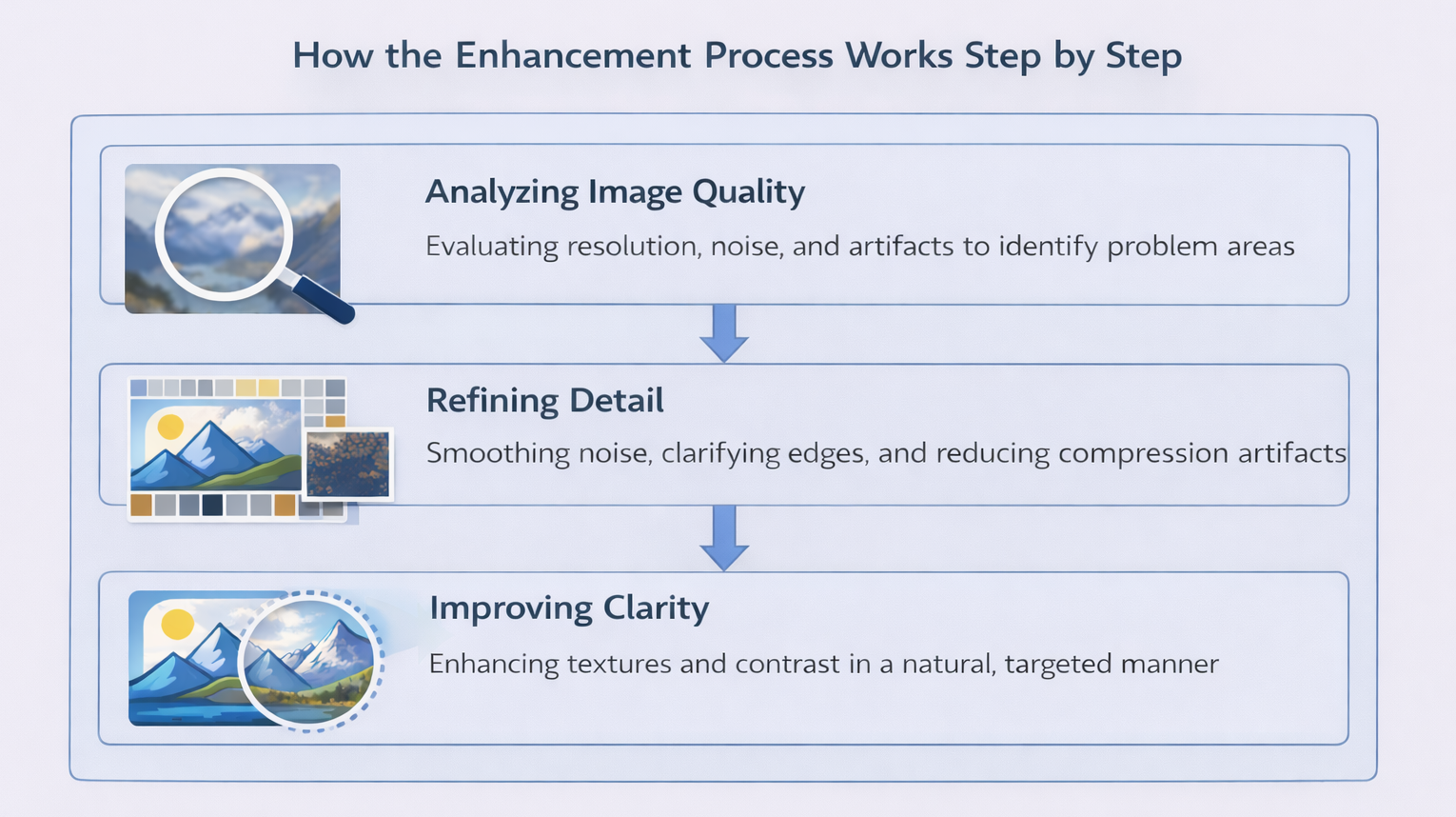
How the Enhancement Process Works Step by Step
Although implementations vary between tools, the internal workflow of AI photo enhancement usually follows a similar sequence.
Analysing image quality and problem areas
The process starts with analysis. The model evaluates resolution, blur, noise levels, compression damage, and contrast inconsistencies. At this stage, the image remains unchanged. The system maps where visual quality is weak and where original information should be preserved.
This step reduces unnecessary changes and helps keep clean areas stable.
Refining detail and reducing distortion
Once problem areas are identified, the model refines the image by smoothing noise, clarifying edges, and reducing compression artifacts. The output is a visually improved version guided by patterns learned from similar images.
The result is optimised for visual quality and consistency, so fine details can shift slightly compared to the original capture, especially in heavily degraded inputs.
Improving clarity without overprocessing
A well-designed AI enhancer controls how strongly it applies refinement. If enhancement is pushed too far, textures can look artificial and edges may develop halos. To prevent this, the model adjusts its behaviour based on confidence, applying stronger refinement where structure is clear and acting more conservatively in ambiguous regions.
What Types of Images Can Be Enhanced
AI photo enhancement does not perform equally across all image types. Results depend on both content and original quality.
Portraits often benefit from cleaner edges and reduced noise, especially when the original photo is reasonably sized. Very small or heavily compressed faces can still show artifacts around eyes, skin texture, or hair.
Old or low-quality images frequently show noticeable improvements. Scanned photos, compressed files, and images that have been resized multiple times can regain contrast and edge clarity if enough usable structure remains.
Illustrations and digital artwork tend to respond well when they contain clean lines and flat colour areas. Highly textured or painterly styles may require more careful enhancement to avoid visual distortion.
Why Results Can Look Different From Image to Image
Users often expect consistent results across different images, but variation is normal with AI-based systems.
The original image quality plays a major role. Images with cleaner source data provide stronger signals for the model, making refinement more reliable. Heavily degraded inputs reduce confidence and limit how natural the improvements can look.
The type of degradation also matters. Moderate noise or mild blur can often be improved, while severe motion blur or extreme compression permanently removes useful structure. In those cases, the model can only reduce distortion and improve clarity to a point.
Content itself affects results as well. Unusual textures, uncommon objects, or ambiguous visual cues may not align well with the model’s learned patterns, leading to less predictable outcomes.
Common Limitations of AI Photo Enhancement
AI photo enhancement has clear limits.
Over-enhancement can occur when refinement is applied too aggressively. This may result in unnatural textures, exaggerated sharpness, or visible halos around edges. These effects indicate that the image is being pushed beyond what the input data can realistically support.
Faces and fine details are particularly sensitive. Small inaccuracies around eyes, lips, or skin texture are easy to notice, even if the overall image looks sharper. This is why portrait results can vary more than landscapes or object photos.
When AI Photo Enhancement Works Best
AI enhancement performs best when the input image still contains a reasonable amount of structure. Basic preparation can improve results, such as cropping unnecessary areas, correcting orientation, and avoiding extreme exposure issues.
AI-enhanced images are well suited for web content, social media, presentations, and general visual improvement. For use cases that require exact reproduction of original details, it helps to treat the output as an improved visual interpretation of the input and review results carefully when accuracy matters.
How to Use Our AI Photo Enhancer
Using the Image Enhancer on our website is straightforward and does not require any manual adjustments. The tool is designed for situations where you want to quickly improve image quality without spending time on technical settings or editing workflows.

To enhance an image, follow these steps:
- Upload the image you want to improve using the “Add file” button on the page.
- Wait while the system processes the file automatically.
- Preview the enhanced result once processing is complete.
- Click “Edit this image” if you want to adjust the result.
- Download the final image if the result meets your expectations.
The process works best with images that still contain a reasonable amount of structure, as outlined above. For heavily degraded files, results may vary depending on the original quality and type of distortion.
Is AI Photo Enhancement Safe to Use?
Questions about privacy and data handling are common. In most systems, images are processed automatically by the model without manual inspection. Files are typically stored only for the time needed to complete processing and deliver the result.
If you want to learn more about how uploaded images are handled, stored, and deleted on our website, you can review the details in our privacy policy.
Final Thoughts
AI photo enhancement improves visual clarity by refining detail and reducing distortion based on learned patterns. With realistic expectations, it can significantly improve images that would otherwise remain noisy, blurred, or difficult to use.
Understanding how the technology works makes it easier to judge results, choose appropriate images, and avoid common misconceptions about what AI photo enhancement can and cannot do.