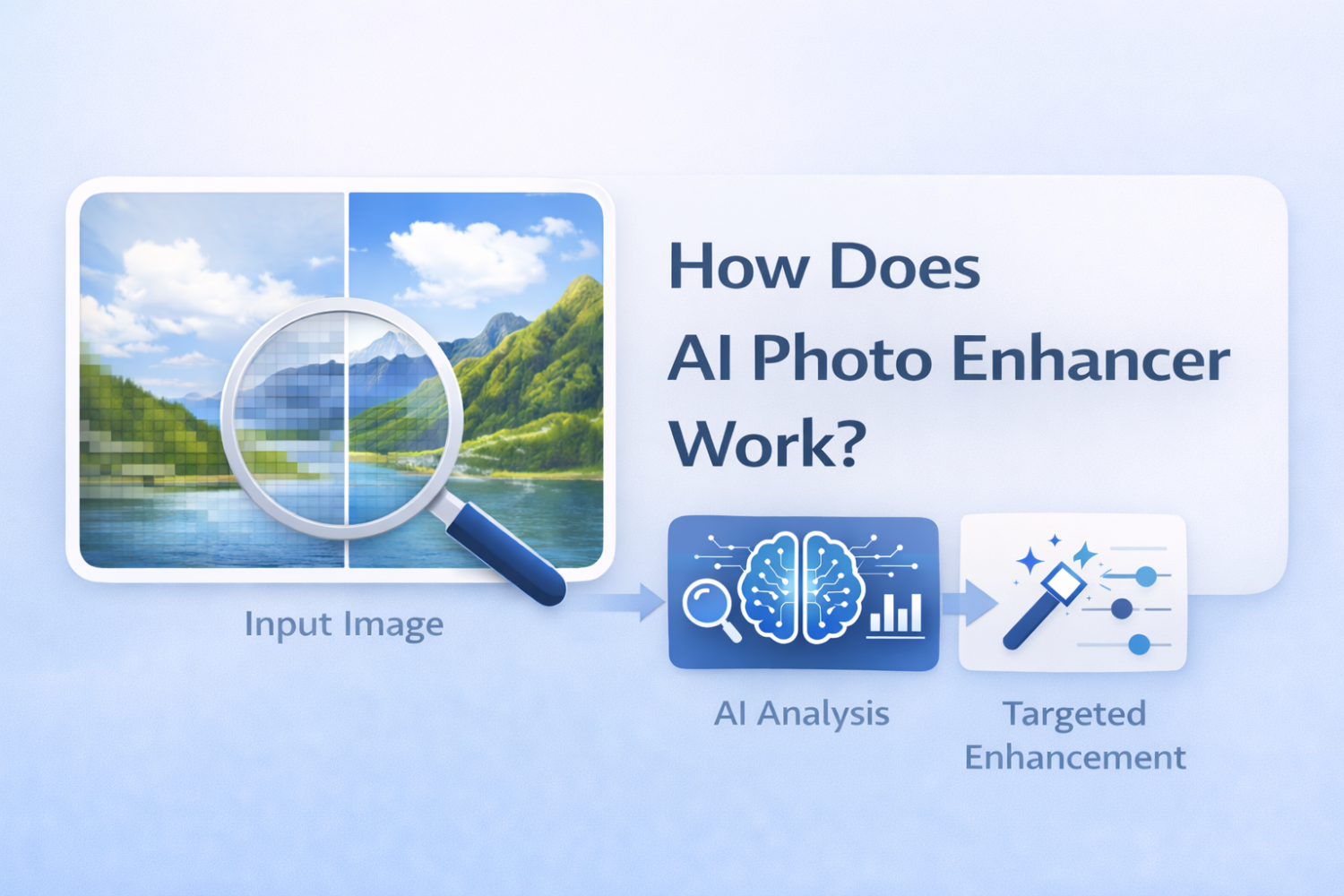
Introduction: The Evolution of Image Resizing
Digital images are used everywhere today, from websites and social media to professional photography and online stores. However, many images are created or saved in a relatively small resolution. When such images need to be displayed on large screens or used for printing, their limited size becomes a problem.
Traditional image resizing methods attempt to solve this by increasing the number of pixels in the image. The problem is that these techniques simply stretch the existing data. Instead of adding real detail, the algorithm fills new pixels by averaging the colors of nearby pixels. As a result, enlarged images often appear blurry, soft, or pixelated.
Recent advances in artificial intelligence have introduced a different approach. AI image upscaling analyzes the structure of the image and predicts what additional detail should look like. Rather than stretching the original pixels, the model reconstructs new visual information that fits naturally with the existing content.
This technology has become increasingly important as display resolutions continue to grow. Modern devices commonly use 4K or even 8K screens, which reveal imperfections in low-resolution images very quickly. AI upscaling also helps restore older photographs, prepare images for high-quality printing, and improve visual assets used across digital platforms.
Traditional vs. AI Upscaling: What’s the Difference?
Before understanding how AI image upscaling works, it helps to look at how traditional image enlargement methods operate.
Simple Interpolation Methods
Classic upscaling algorithms rely on mathematical interpolation. Instead of creating new details, they estimate the color of additional pixels based on nearby ones.
Some of the most common methods include:
- Nearest Neighbor
This method simply copies the value of the closest existing pixel. It is fast but produces blocky results because large areas of identical pixels appear after scaling. - Bilinear Interpolation
This technique calculates new pixel values using a weighted average of surrounding pixels. The results are smoother than nearest neighbor but often appear slightly blurred. - Bicubic Interpolation
Bicubic interpolation considers a larger group of surrounding pixels to generate smoother transitions. While it typically produces better visual results, it still cannot recreate missing details.
All of these approaches share the same limitation: they can only work with the information already present in the image.
The AI Difference
AI image upscaling uses a fundamentally different strategy. Instead of relying only on mathematical averaging, machine learning models analyze the content of the image itself.
An AI model studies edges, textures, and visual patterns to understand what objects appear in the picture. Using knowledge learned during training, it predicts how those objects would look in higher resolution.
For example, when the system detects a human face, it can infer the typical structure of skin texture, hair strands, and facial features. This allows the model to generate more realistic detail during upscaling.
How AI Image Upscaling Actually Works
Although different tools use different algorithms, most AI upscaling systems follow a similar workflow.
Step 1: Image Analysis
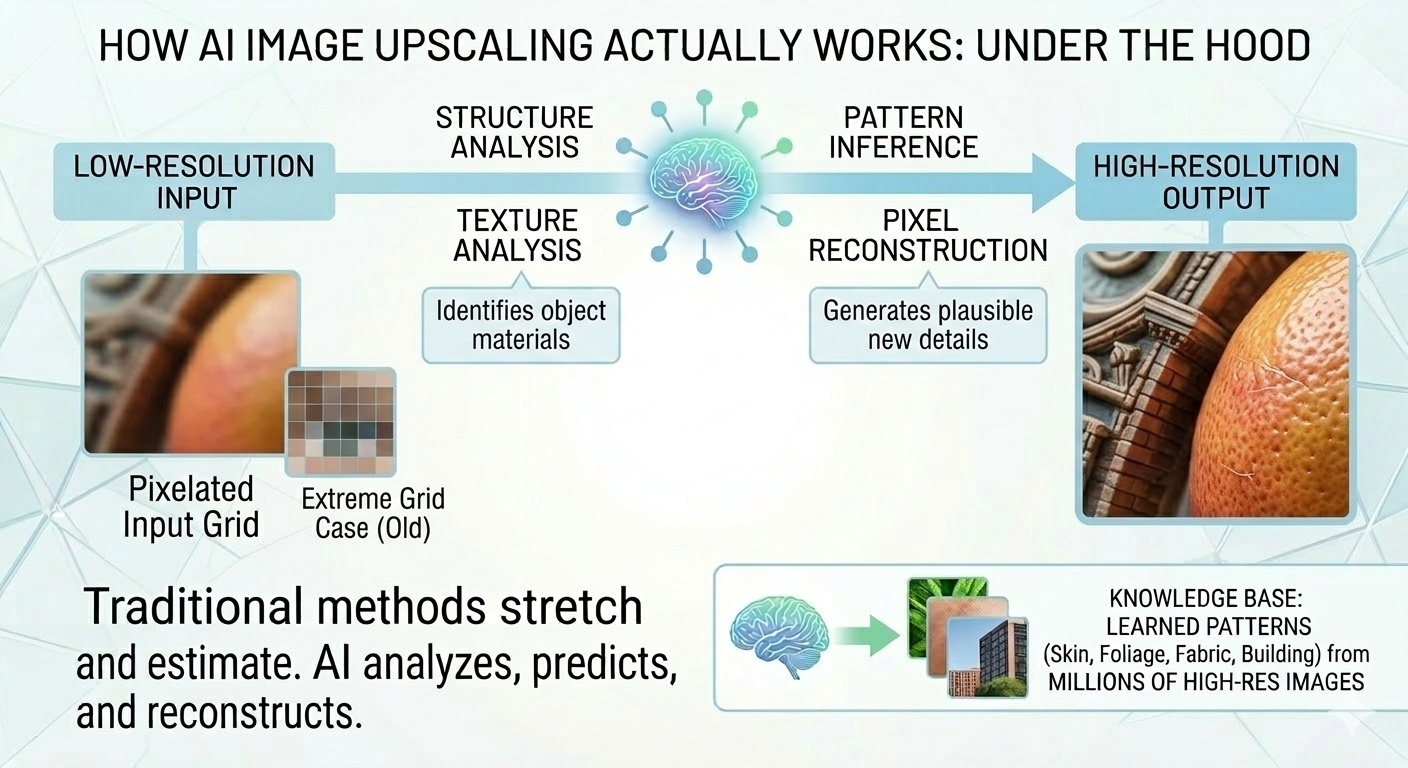
The process begins with analyzing the original image. The model examines the structure of the image to identify important visual features such as edges, gradients, textures, and repeated patterns.
Edges help the system understand where objects begin and end. Textures reveal the surface characteristics of materials like fabric, skin, or foliage. Recognizing these elements allows the model to interpret the visual structure of the scene.
Step 2: Feature Recognition
After the initial analysis, the neural network identifies higher-level visual features. For instance, it may detect patterns that correspond to hair, grass, clouds, or architectural details.
Because the model has been trained on a large number of images, it has learned how these elements typically appear in high resolution. This knowledge helps the system estimate what additional details should look like.
Step 3: Pixel Reconstruction
Once the image structure is understood, the model begins reconstructing the higher-resolution version. Instead of simply stretching the image, the system generates new pixels that fit the predicted visual structure.
The reconstruction process focuses on preserving sharp edges and realistic textures. As a result, the upscaled image can appear significantly clearer than one produced with traditional interpolation methods.
The Role of Deep Learning Models
Modern upscale image tools rely on deep learning architectures designed specifically for image processing.
Convolutional Neural Networks
Convolutional Neural Networks (CNNs) are widely used for analyzing visual information. They process images through multiple layers that detect patterns such as edges, shapes, and textures. Each layer extracts more complex features than the previous one. Early layers may detect simple edges, while deeper layers recognize more complex structures like faces or objects. This layered analysis allows CNN models to build a detailed understanding of the image before generating the higher-resolution version.
Generative Adversarial Networks
Many advanced upscale tools use a technique called Generative Adversarial Networks (GANs).
A GAN system consists of two components:
Generator – creates the upscaled image
Discriminator – evaluates whether the generated image looks realistic
During training, the generator attempts to produce increasingly realistic images, while the discriminator learns to detect imperfections. Over time, this competitive process helps the generator create more convincing high-resolution results.
Modern Super-Resolution Models
Recent research has produced specialized models designed for image super-resolution. Architectures such as ESRGAN and Real-ESRGAN are capable of generating detailed textures while reducing common artifacts. These models are trained to balance sharpness with realism, helping produce results that look natural rather than artificially sharpened.
AI Training: Where the Model Learns Image Details
AI upscaling systems depend heavily on the data used during training.
Large Training Datasets
During development, models are trained using large collections of images. High-resolution photos are often paired with lower-resolution versions created through controlled degradation. This allows the model to learn the relationship between the low-resolution input and the detailed high-resolution version.
Learning High-Resolution Patterns
By analyzing millions of image pairs, the model gradually learns common visual structures. It becomes familiar with patterns such as hair texture, fabric weave, foliage, and building surfaces. These patterns form the foundation that allows the model to predict plausible details when enlarging new images.
Predicting Missing Details
When the model receives a low-resolution image, it applies the knowledge learned during training to estimate what details are likely missing. Although the model does not recover the exact original information, it can generate realistic details that make the image appear clearer and more natural.
How to Upscale an Image Using Our Tool
Understanding how an AI upscale image works is useful, but in practice the process can be completed in just a few clicks. Our tool allows you to upscale images automatically while preserving edges, textures, and visual details.

Using the tool is straightforward and does not require any technical setup. In most cases, the entire process takes less than a minute.
Here are the five simple steps to upscale image:
- Step 1: Upload your image
Click the “Add file” button and upload the image you want to upscale from your device. - Step 2: Choose the scaling option
Select the desired processing option. You can upscale the image by 2x or 4x. If you want larger scaling options such as 6x or 8x, a subscription is required. - Step 3: Wait for processing
The AI model analyzes the image and performs the upscale process. This typically takes 5–40 seconds, depending on the image size. - Step 4: Edit the image if needed
After processing, click “Edit this image” to adjust the result. In the editor, you can crop, rotate, or flip the picture, fine-tune colors, apply filters, add watermarks or annotations, or manually set new dimensions. - Step 5: Download the upscaled image
Once you are satisfied with the result, check the final version and save the upscaled image to your device.
Common Use Cases of AI Image Upscaling
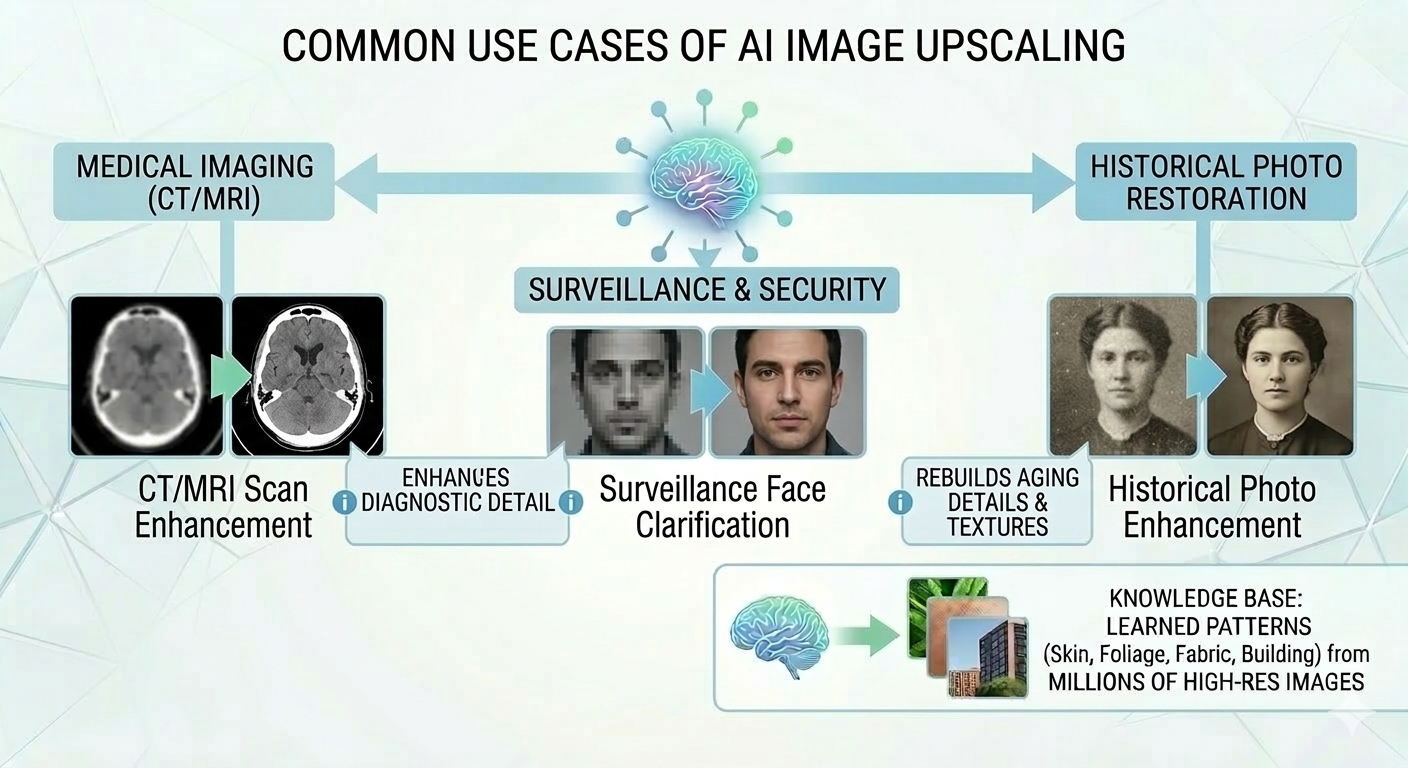
AI image upscaling is used across many industries where visual quality is important. Photographers often use it to enlarge images for printing without losing clarity. Designers rely on it to improve graphics that need to be adapted to different screen sizes. In e-commerce, product images sometimes need to be upscaled to meet marketplace requirements while maintaining visual sharpness.
The technology is also valuable for restoring older photographs that were scanned at low resolution. By reconstructing missing details, AI tools can make historical or personal images appear clearer on modern displays.
Limitations of AI Upscalers
One important limitation is that the model does not recover original lost information. Instead, it generates details based on probability and patterns learned during training. The quality of the final result also depends on the quality of the input image. Extremely small or heavily compressed images may not contain enough information for accurate reconstruction.
In some situations, the model may create artificial details that look realistic but were not present in the original image.
The Future of AI Image Upscaling
AI image upscaling continues to evolve as machine learning models become more advanced. Researchers are developing systems capable of producing even more accurate textures and improving the handling of complex scenes.
Future tools may combine super-resolution with generative AI models, allowing images to be enhanced while maintaining consistent visual structure. The same techniques are already being applied to video upscaling, enabling older footage to be adapted for modern high-resolution displays.
As display technology continues to advance, AI-driven image enhancement will likely become a standard component of many digital workflows.